See the folder, not only the file
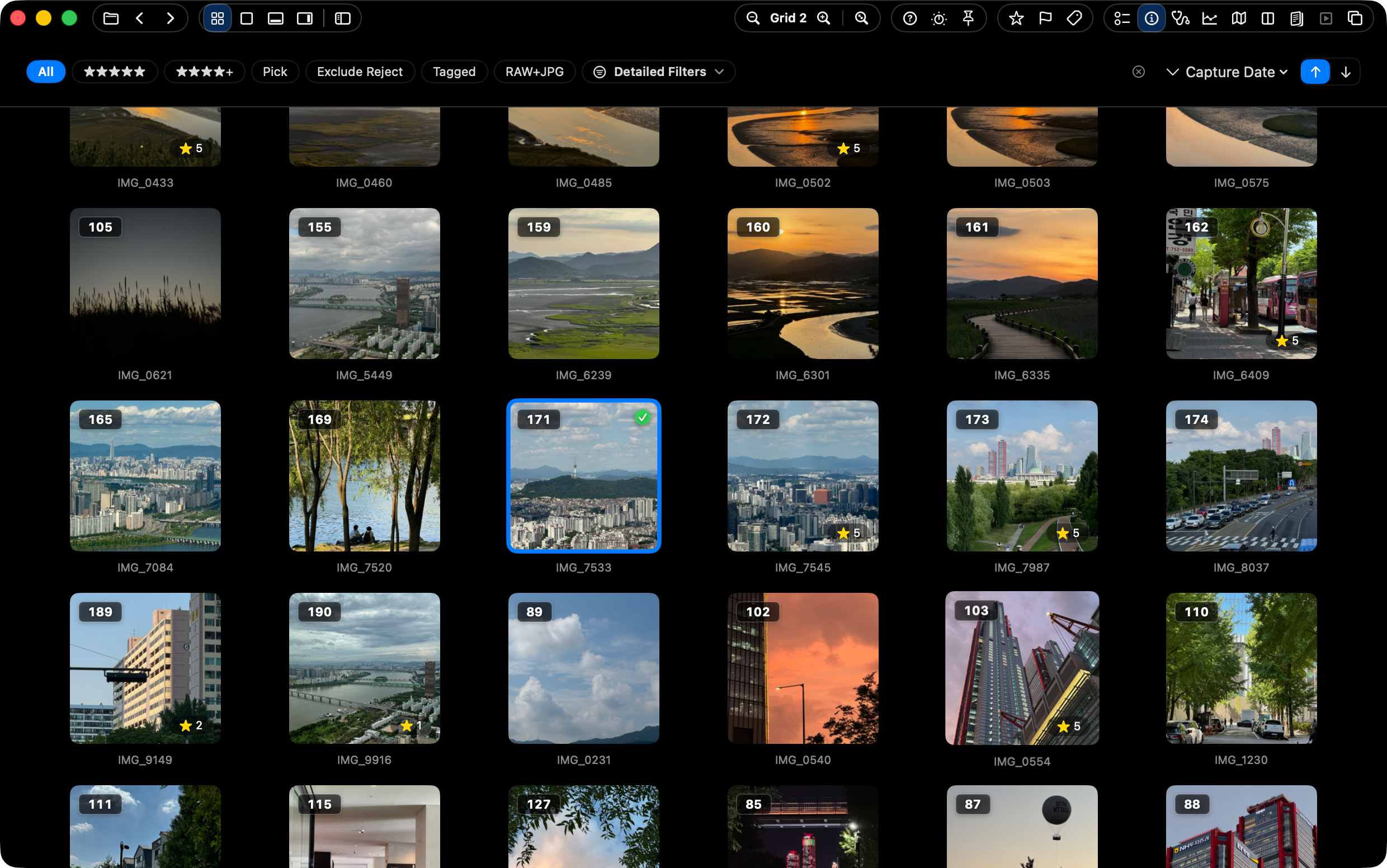
Grid, Filmstrip, and Navigator views keep neighboring images visible so the current photo is not isolated from the set.
 SnapView
Preview is useful for quick looks, markup, and PDFs. SnapView is for the moment when you need to browse many Mac images with folder context, keyboard movement, and handoff tools.
SnapView is a focused Preview alternative for Mac users who need to browse many images in folders. Preview remains useful for markup, PDFs, and quick single-file tasks, while SnapView is designed for folder context, keyboard review, and moving selected images into the next step.
If you are opening one file, Preview may be enough. If you are moving through a folder, comparing nearby frames, marking keepers, and sending files onward, SnapView keeps those decisions inside the viewer.
Grid, Filmstrip, and Navigator views keep neighboring images visible so the current photo is not isolated from the set.
SnapView keeps navigation, ratings, Pick/Reject, and labels close to the browsing flow for repeated triage.
Open local folders, ZIP archives, Apple Photos sources, RAW files, supported videos, and modern still formats from one app.
Selections can move to Finder, Desktop, editing apps, Photos, Quick Organize, Batch Actions, print, or PDF save.
| Workflow | Apple Preview | SnapView |
|---|---|---|
| Single-file viewing | Built into macOS and convenient for opening one file quickly. | Can open individual images, but is designed around moving through the surrounding folder. |
| Markup and PDFs | Strong fit for annotation, PDF tasks, and system-level workflows. | Not intended to replace Preview for PDF or markup-heavy work. |
| Folder review | Can open images, but folder context and repeated culling are not the main focus. | Focused on Grid, Filmstrip, keyboard review, ratings, labels, and handoff. |
Keep Preview for macOS system tasks, and use SnapView when the job is browsing, comparing, and organizing many images.