Folder-first browsing
Open a folder, ZIP archive, Apple Photos source, or image file and keep moving through nearby images.
 SnapView
SnapView is not affiliated with FastStone. It is a macOS image viewer for users who want direct folder browsing, keyboard movement, and practical review tools on Mac.
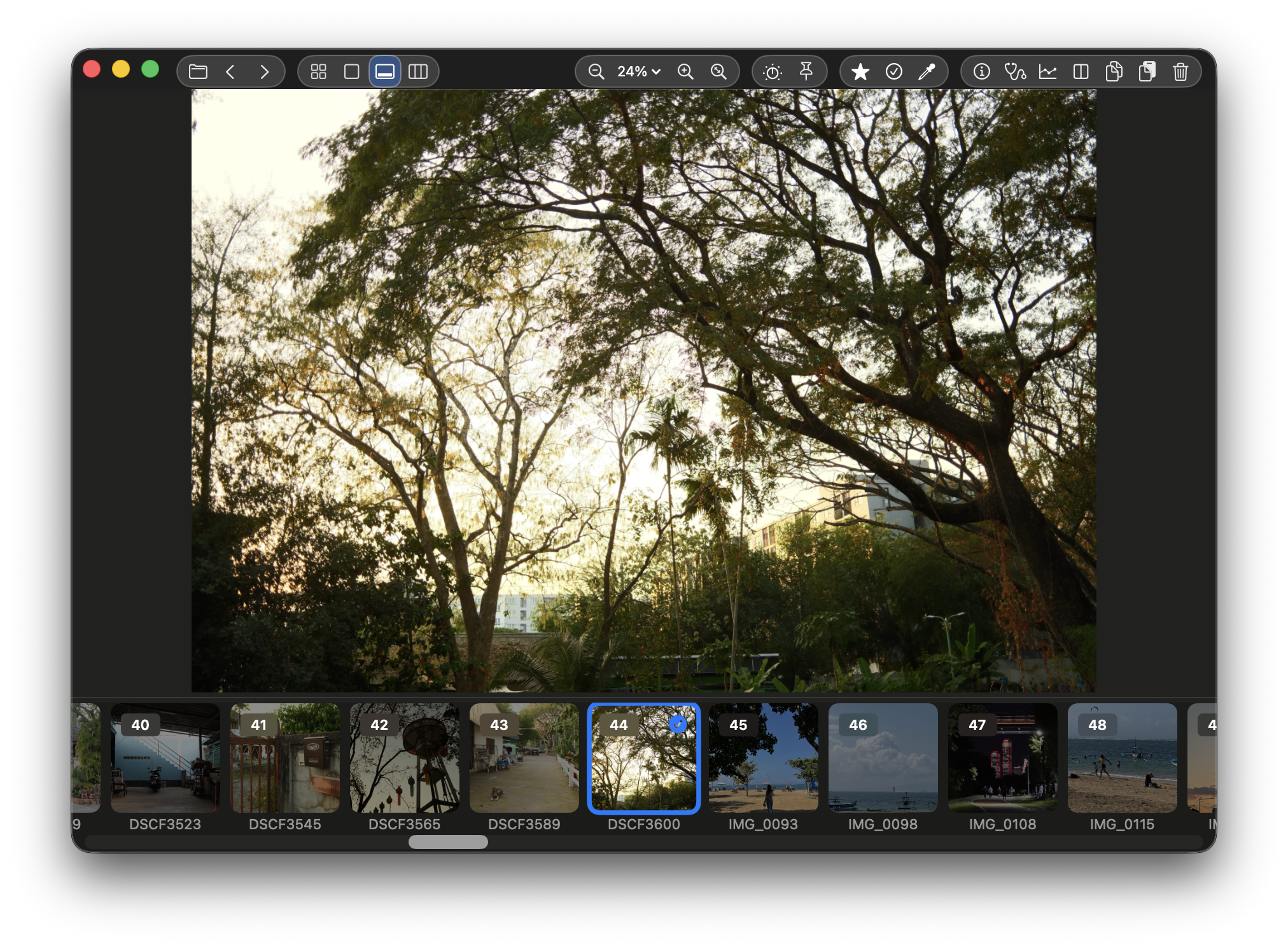
SnapView is not FastStone and is not affiliated with FastStone. It is a Mac image viewer for people who want a similar folder-browsing intent on macOS: open a folder, move through images quickly, compare, mark, and send selected files onward.
If you are used to opening a folder and moving through images quickly, SnapView gives that workflow a Mac-native home without asking you to import everything into a library first.
Open a folder, ZIP archive, Apple Photos source, or image file and keep moving through nearby images.
Main, Grid, Filmstrip, Navigator, and Pro Layout views give different levels of context for the same image set.
Use Finder tags, drag selections, XMP-backed ratings and flags, Quick Organize, and Batch Actions to continue outside the viewer.
Review RAW, HEIC, WebP, GIF, TIFF, PSD, JPEG 2000, DICOM, EXR/HDR, TGA, ZIP archives, and supported videos.
FastStone Image Viewer is known by many Windows users for practical folder browsing. SnapView is a separate Mac app with its own interface, distribution, and feature set. The overlap is the workflow intent: open a folder, move through images, compare, mark, and organize.
| Search intent | FastStone context | SnapView on Mac |
|---|---|---|
| Folder browsing | Often associated with Windows folder-first image browsing. | Provides a Mac-native folder review flow with Main, Grid, Filmstrip, Navigator, and Pro Layout views. |
| Keyboard review | Users often search for quick keyboard movement and selection workflows. | Supports keyboard navigation, ratings, Pick/Reject, labels, and handoff actions close to the image. |
| Mac distribution | FastStone is a separate product and SnapView is not its Mac version. | Available as an independent SnapWorks Lab app through the Mac App Store, with the final 2.7.1 DMG available separately. |
Use SnapView if your goal is practical image folder review on macOS. SnapView is independent and not affiliated with FastStone.